A/B testing Instagram broadcasts with up to four versions
How to split a broadcast into up to four versions, choose one variable worth testing, wait for enough data, and read the result in Insights.
Every broadcast you send is a small experiment, whether you treat it like one or not. You choose an opening line, a button label, a time of day — and then you see what happens. The difference with A/B testing is that you see what would have happened if you had chosen differently, side by side, with the same audience on the same day.
Mtschat lets you split any broadcast into up to four versions. This guide covers what is worth testing, how much patience a fair test needs, how to read the result in Insights, and the one Instagram rule that shapes everything: broadcasts only reach people who messaged you in the last 24 hours.
How a split broadcast works
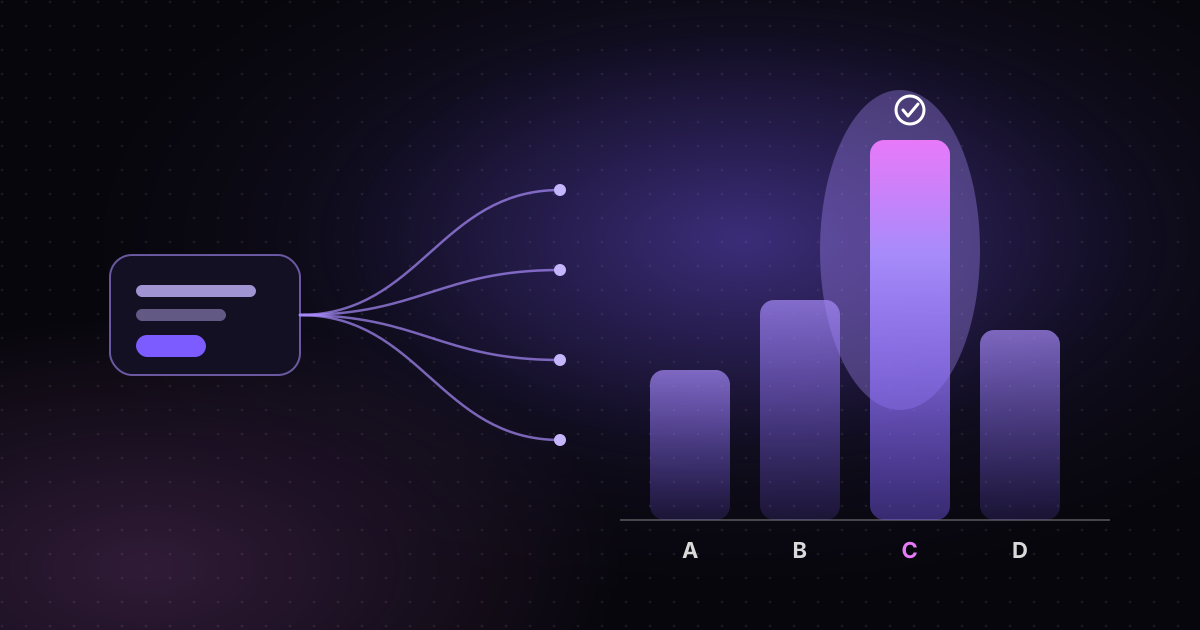
When you create a broadcast, you pick an audience — usually a segment or a tag from Contacts — and write the message. Turning on split testing adds a second version, and you can add up to four in total. Mtschat divides the eligible audience between the versions, so each person receives exactly one of them.
Each version is tracked separately. Once the broadcast goes out, every version gets its own runs, link clicks, click-through rate and recorded conversions in Insights. That is what turns a hunch into a comparison.
Two versions or four?
More versions means more ideas tested at once, but it also means each version reaches fewer people. If your eligible audience is small, splitting it four ways leaves each slice too thin to tell you much. A practical rule of thumb:
- Small audiences — run two versions. One control (what you would normally send) and one challenger.
- Mid-sized audiences — three versions works well when you have two genuinely different alternatives to your control.
- Larger audiences — four versions lets you test a wider range, such as four different opening lines, without waiting weeks for an answer.
There is no single magic number. The question is always: will each version reach enough people for the difference to mean something?
The 24-hour audience rule
Instagram’s messaging rules allow businesses to send messages freely only within 24 hours of a person’s last message to them. Mtschat follows those rules, so a broadcast only reaches contacts who messaged you within the last 24 hours. Everyone else in the segment is skipped automatically.
It also means timing matters. The best moment to broadcast is often right after a burst of conversations — the day you run a comment-to-DM campaign on a new Reel, for example, when hundreds of people have just messaged you to get a link. If you are new to the window itself, our explainer on Instagram’s 24-hour messaging window covers it in detail.
What to test
The golden rule of A/B testing is to change one thing at a time. If version B has a different opening line, a different button label and a warmer tone, and it wins, you will not know which change did the work. Pick a single variable per test.
Variables that tend to be worth testing in DM broadcasts:
- The first line. In a DM thread, the opening sentence is most of what people see in the preview. “Your discount code is inside” and “Quick question about your order” will perform differently with the same audience.
- The button label. “Get the guide”, “Show me” and “Send it over” all lead to the same link, but they set different expectations.
- Length. A two-line message with one button versus a short paragraph that explains the offer before the button.
- The offer itself. A free shipping message versus a percentage discount, or a free checklist versus a short video.
- Personalisation. Using the contact’s first name, or referencing the post they originally commented on, versus a generic greeting.
What not to test (yet)
Avoid testing things that are too subtle to show up at your volume. Swapping one adjective for another rarely produces a difference you can see in a few hundred sends. Start with bold contrasts; refine once you know which direction works.
Also avoid testing something you could not act on. If you would never actually send a message with no button, there is little point learning how it performs.
Sample sizes and patience
The most common mistake in A/B testing is calling a winner too early. Imagine a broadcast split two ways, with 40 people in each version. Version A gets 6 clicks; version B gets 9. B looks 50% better — but the gap is three people. A few different individuals checking their phones at a different moment could flip it.
Some guidelines that keep tests honest:
- Wait for the clicks to settle. Most DM responses happen soon after a message lands, but not all. Give a broadcast at least a day before reading it.
- Look at absolute numbers, not just percentages. A CTR of 25% from 4 clicks out of 16 runs is not the same as 25% from 100 clicks out of 400.
- Repeat a test before acting on it. If version B wins two or three broadcasts in a row, you have a pattern. If it wins once, you have a clue.
- Keep a simple log. Note the date, the audience, the variable you tested and the result. Over a few months, that log becomes your playbook.
Patience feels slow, but the alternative is worse: rewriting all your messages around a “winner” that was really just noise.
Reading the result in Insights
Once a split broadcast has gone out, open it in Insights. Each version shows four numbers:
- Runs — how many people that version was actually delivered to. Check that the runs are roughly balanced across versions; that is your sanity check that the split worked as expected.
- Link clicks — how many times people tapped through to your link.
- Click-through rate (CTR) — clicks divided by runs. This is the fairest way to compare versions, because it accounts for small differences in how many people each one reached.
- Conversions — the outcomes you have chosen to record, such as a purchase or a sign-up. These only appear if you have connected a conversion source.
Clicks versus conversions
CTR tells you which message made people curious. Conversions tell you which message brought the right people. They do not always agree. A playful button label might win on clicks but lose on purchases, because it attracted people who were not ready to buy.
When the two metrics disagree, the conversion number usually reflects your actual goal. If you have not set up conversion tracking yet, our guide to measuring Instagram DM performance walks through connecting Shopify or a webhook so purchases and sign-ups show up next to your clicks.
A worked example
Say you are a creator selling a short online course. On Monday you post a Reel and ask viewers to “comment COURSE” for the details. Your comment-to-DM automation replies publicly, sends each commenter a DM with a button, and delivers the link. By Monday evening, a few hundred people have messaged you.
On Tuesday morning, while most of them are still inside the 24-hour window, you send a broadcast with an early-bird reminder. You split it two ways:
- Version A: “Early-bird pricing ends tonight.” Button: “Enrol now”.
- Version B: “Got questions about the course? Here’s what’s inside.” Button: “See the syllabus”.
On Wednesday you check Insights. Perhaps B has the higher CTR, but A has more recorded purchases. That is a useful finding: curiosity-led messaging gets attention, while deadline messaging gets decisions. Next time you might test a version that combines both — and then repeat the test with the next Reel to see whether the pattern holds.
Turn winners into defaults
A/B testing pays off when the lessons carry forward. When a pattern holds across several broadcasts, make it your default: update your templates, adjust the messages inside your automations in the Flow Builder, and start the next round of tests from that new baseline.
Split testing is included on every Mtschat plan, including Free. If you want to try it, create a broadcast, toggle on a second version and send it to your next group of active conversations.